> ## Documentation Index
> Fetch the complete documentation index at: https://nango.dev/docs/llms.txt
> Use this file to discover all available pages before exploring further.
# CDW - How do I link my account?
# Overview
To authenticate with CDW, you need a **Subscription Key**. CDW's [API Management developer portal](https://portal.apiconnect.cdw.com/) is self-serve — anyone can create an account, subscribe to a product, and generate a key.
### Prerequisites
* You must sign up for a CDW API Management developer portal account (open to anyone) and subscribe to the product(s) you need.
### Instructions
#### Step 1: Creating a developer portal account
1. Go to the [CDW API Management developer portal](https://portal.apiconnect.cdw.com/) and sign up for an account.
2. Once approved, sign in.
#### Step 2: Subscribing to a product and generating a subscription key
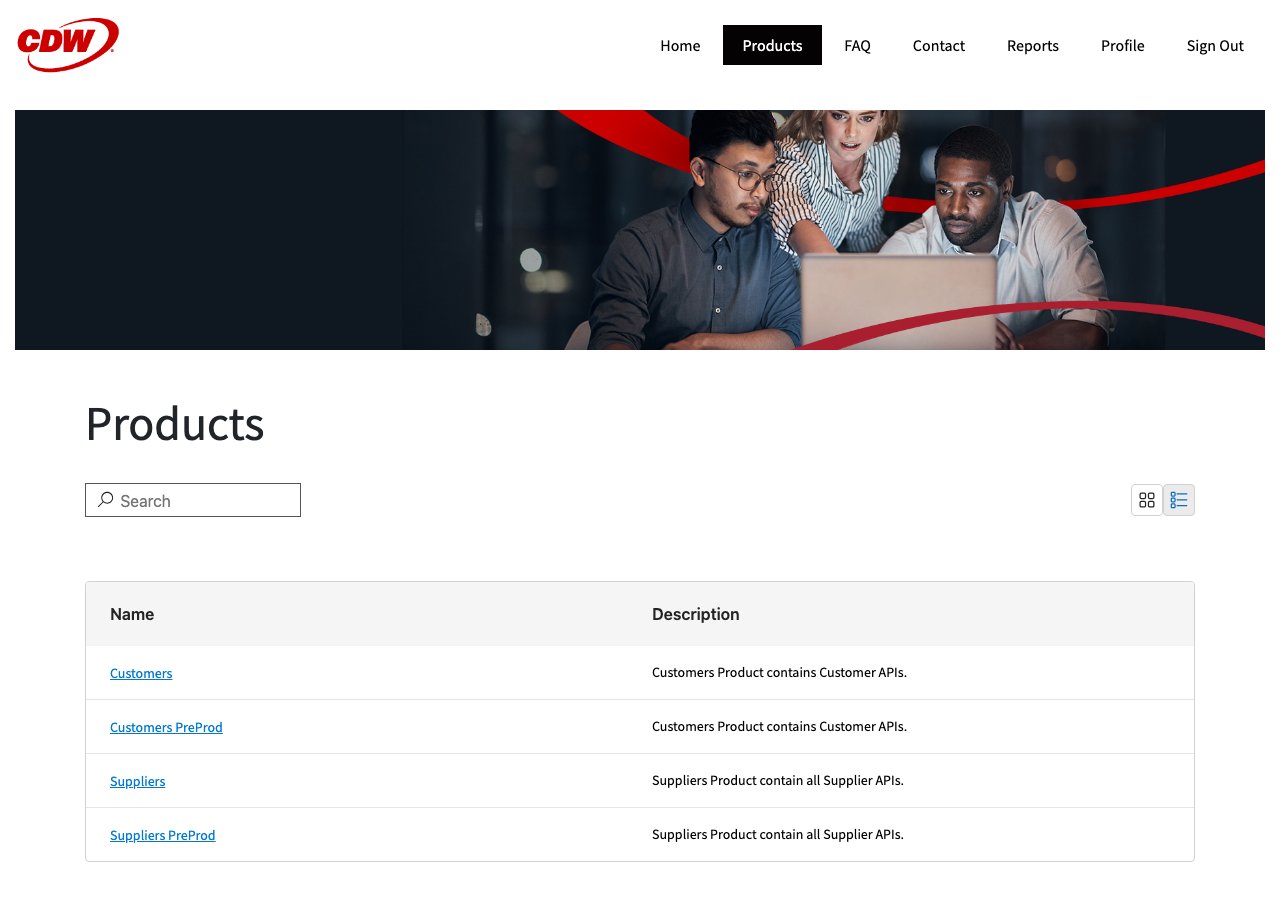
1. Go to **Products** and open the product you need (for example, **Customers**, which includes the Customer Order API).
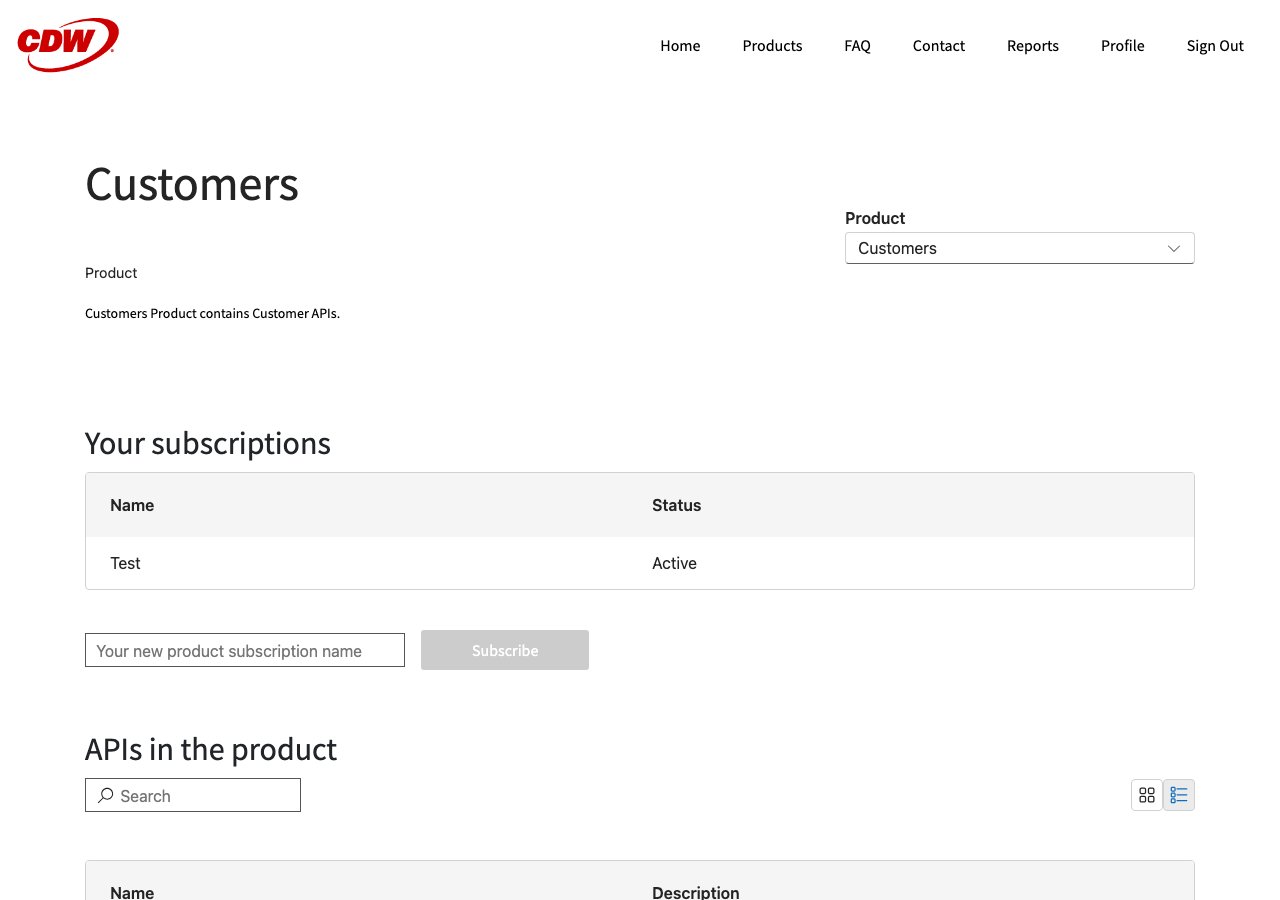
2. Click **Subscribe** and give the subscription a name.
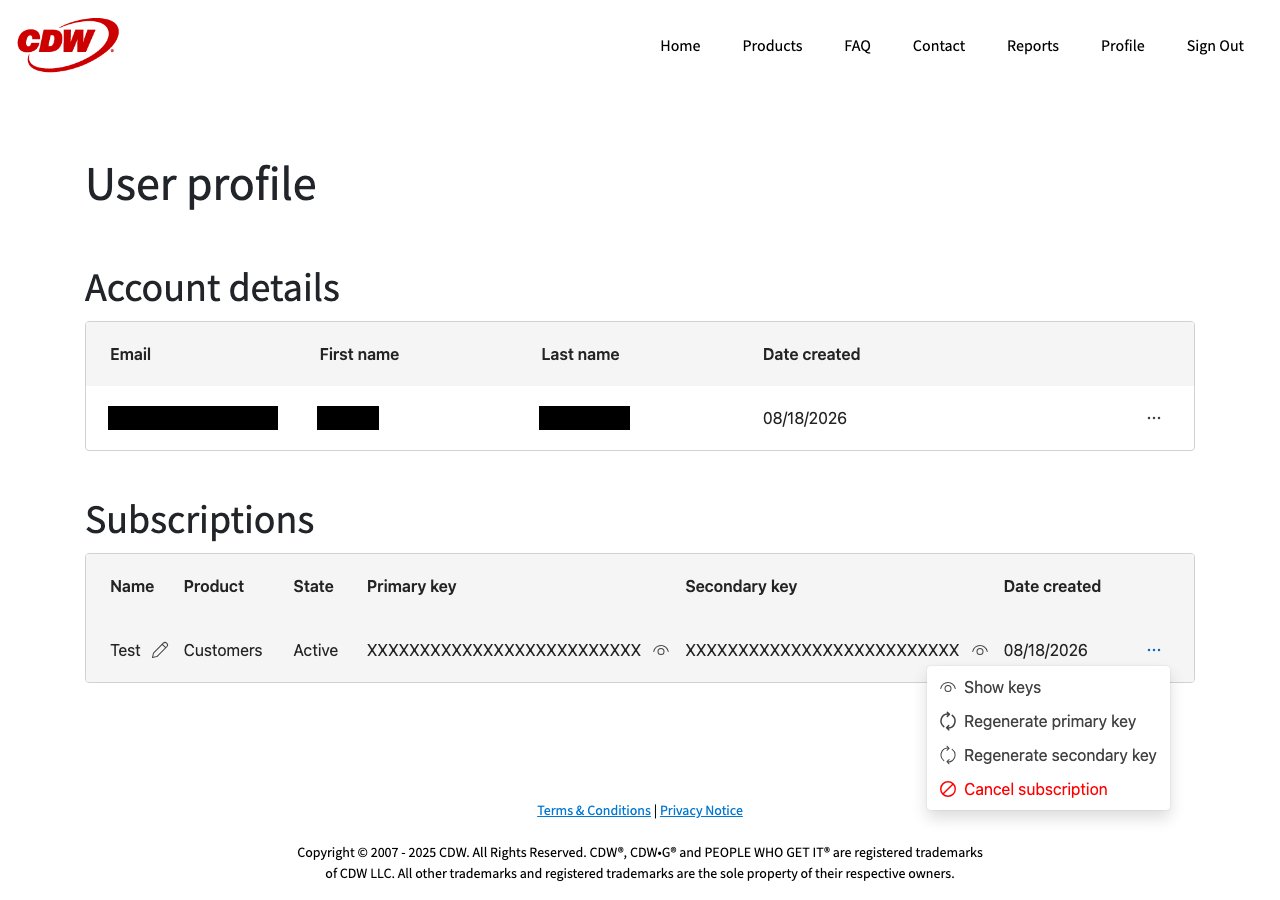
3. Go to your **Profile**. Under **Subscriptions**, find the subscription you just created, click the **...** menu, and select **Show keys**.
4. Copy the **Primary key** (or **Secondary key** — either works as the subscription key).
 CDW automatically rotates subscription keys every 30 days. If your Nango connection starts failing with an authentication error, sign back in to the developer portal, retrieve the new key from your profile, and update the connection.
#### Step 3: Choosing your Base URL
Choose the Base URL that matches where you created your product subscription:
* `apiconnect.cdw.com/b2b` is CDW's production gateway. Use it for live subscriptions and real orders.
* `apiconnect.preprod.cdw.com/pprd/b2b` is CDW's PreProd sandbox. It has separate products, subscriptions, and keys, so only use it if you subscribed through PreProd.
#### Step 4: Enter credentials in the Connect UI
Once you have your **Subscription Key**:
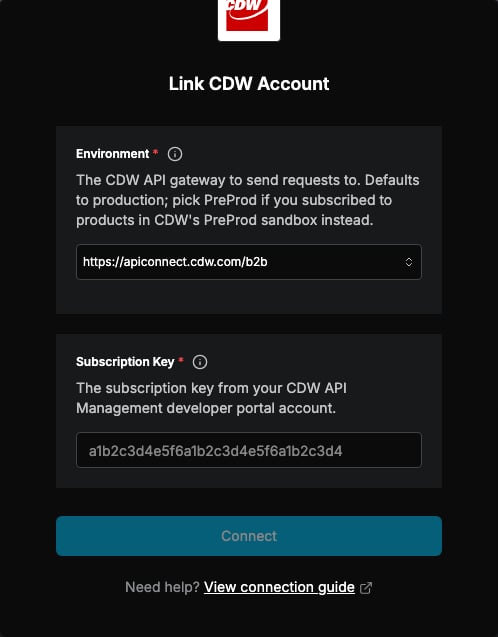
1. Open the form where you need to authenticate with CDW.
2. Enter your **Subscription Key** in the field provided.
3. Select the **Environment** that matches the Base URL described above.
4. Submit the form, and you should be successfully authenticated.
CDW automatically rotates subscription keys every 30 days. If your Nango connection starts failing with an authentication error, sign back in to the developer portal, retrieve the new key from your profile, and update the connection.
#### Step 3: Choosing your Base URL
Choose the Base URL that matches where you created your product subscription:
* `apiconnect.cdw.com/b2b` is CDW's production gateway. Use it for live subscriptions and real orders.
* `apiconnect.preprod.cdw.com/pprd/b2b` is CDW's PreProd sandbox. It has separate products, subscriptions, and keys, so only use it if you subscribed through PreProd.
#### Step 4: Enter credentials in the Connect UI
Once you have your **Subscription Key**:
1. Open the form where you need to authenticate with CDW.
2. Enter your **Subscription Key** in the field provided.
3. Select the **Environment** that matches the Base URL described above.
4. Submit the form, and you should be successfully authenticated.
 You are now connected to CDW.