> ## Documentation Index
> Fetch the complete documentation index at: https://nango.dev/docs/llms.txt
> Use this file to discover all available pages before exploring further.
# Attentive (API Key) - How do I link my account?
## Overview
To authenticate with Attentive (API Key), you need:
1. **API Key** — the API key of a custom app in your Attentive account.
This guide will show you how to get it.
### Prerequisites
* An Attentive account that can create apps. If you can't access the Attentive platform, email [api-tokens@attentivemobile.com](mailto:api-tokens@attentivemobile.com) for access.
### Step 1: Create a custom app
1. Sign in to Attentive and go to the [integrations setup page](https://ui.attentivemobile.com/integrations/index).
2. Click **+ Create App** in the top-right corner.
3. Enter a unique name in the **App name** field and your email address in the **Contact email** field.
4. Under **Permissions**, set each API your integration needs to **Write**. The APIs are Custom Attributes, Custom Events, eCommerce, Privacy Request, Product Catalog, and Subscribers. All of them default to **No Access**.
5. Click **Create**. The **Copy API key** modal appears.
6. Click **Copy** to copy the API key, then click **X** to close the modal.
Attentive only shows the API key once. Save it somewhere secure before closing the modal. If you lose it, open your app from the **Built by you** tab and click **Regenerate** in the **API key** section, then update the key in Nango.
### Step 2: Enter your API key in the Connect UI
1. Open the form where you need to authenticate with Attentive.
2. Enter your **API Key** in the designated field.
3. Submit the form, and you should be successfully authenticated.
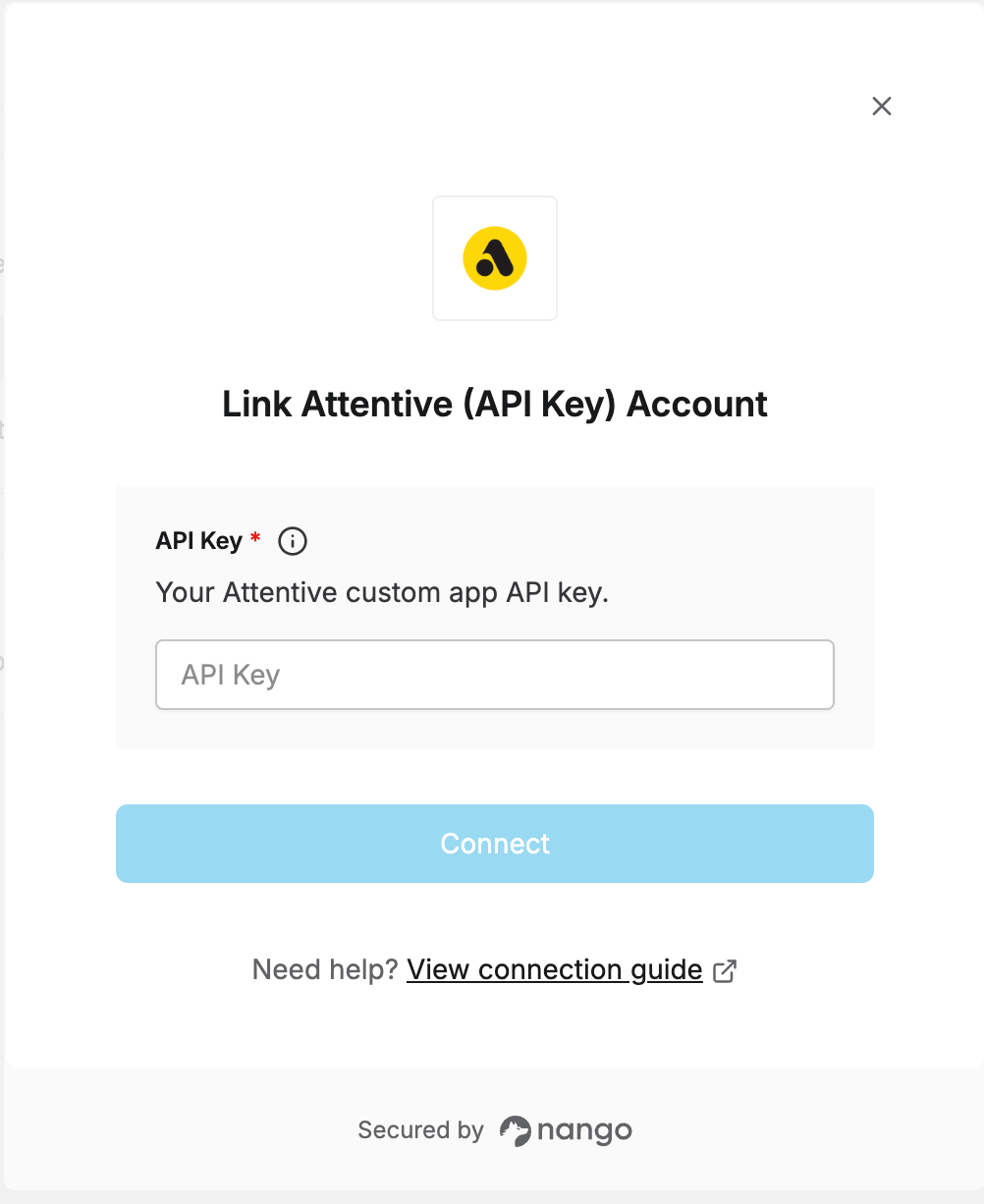 You are now connected to Attentive.
This documentation is built and hosted on [Mintlify](https://mintlify.com), a developer documentation platform.
You are now connected to Attentive.
This documentation is built and hosted on [Mintlify](https://mintlify.com), a developer documentation platform.