> ## Documentation Index
> Fetch the complete documentation index at: https://nango.dev/docs/llms.txt
> Use this file to discover all available pages before exploring further.
# Atlassian Service Account (OAuth 2.0) - How do I link my account?
# Overview
To authenticate with Atlassian using OAuth 2.0 service account credentials, you will need:
1. **Client ID** - The OAuth 2.0 client ID from your service account credential.
2. **Client Secret** - The OAuth 2.0 client secret from your service account credential.
3. **Subdomain** (optional) - Your Atlassian account subdomain.
This guide will walk you through creating OAuth 2.0 credentials for your service account and finding your subdomain.
### Prerequisites:
* You must have an Atlassian account with admin access
* You must have created a service account
### Instructions:
#### Step 1: Creating OAuth Client Credentials
1. Go to **Atlassian Administration**. Select your organization if you have more than one.
2. Select **Directory** > **Service accounts**.
3. Select the service account you want to create a credential for.
4. Select **Create credentials**.
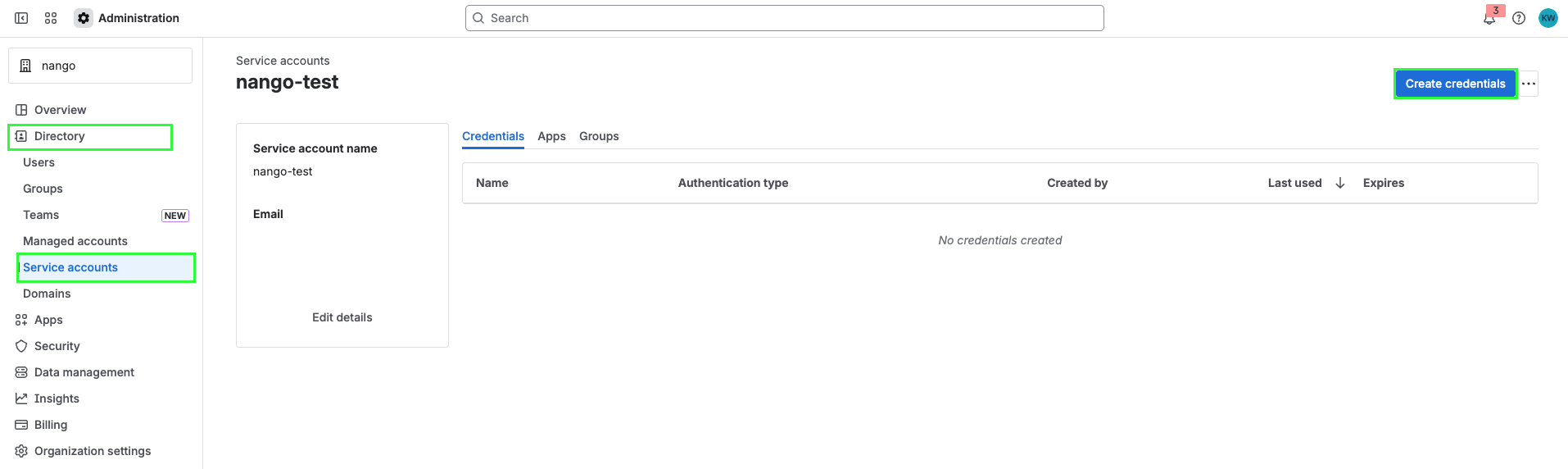 5. Select **OAuth 2.0**, then select **Next**.
 6. Select scopes to determine what the API access token can do in Atlassian. Select **Next**.
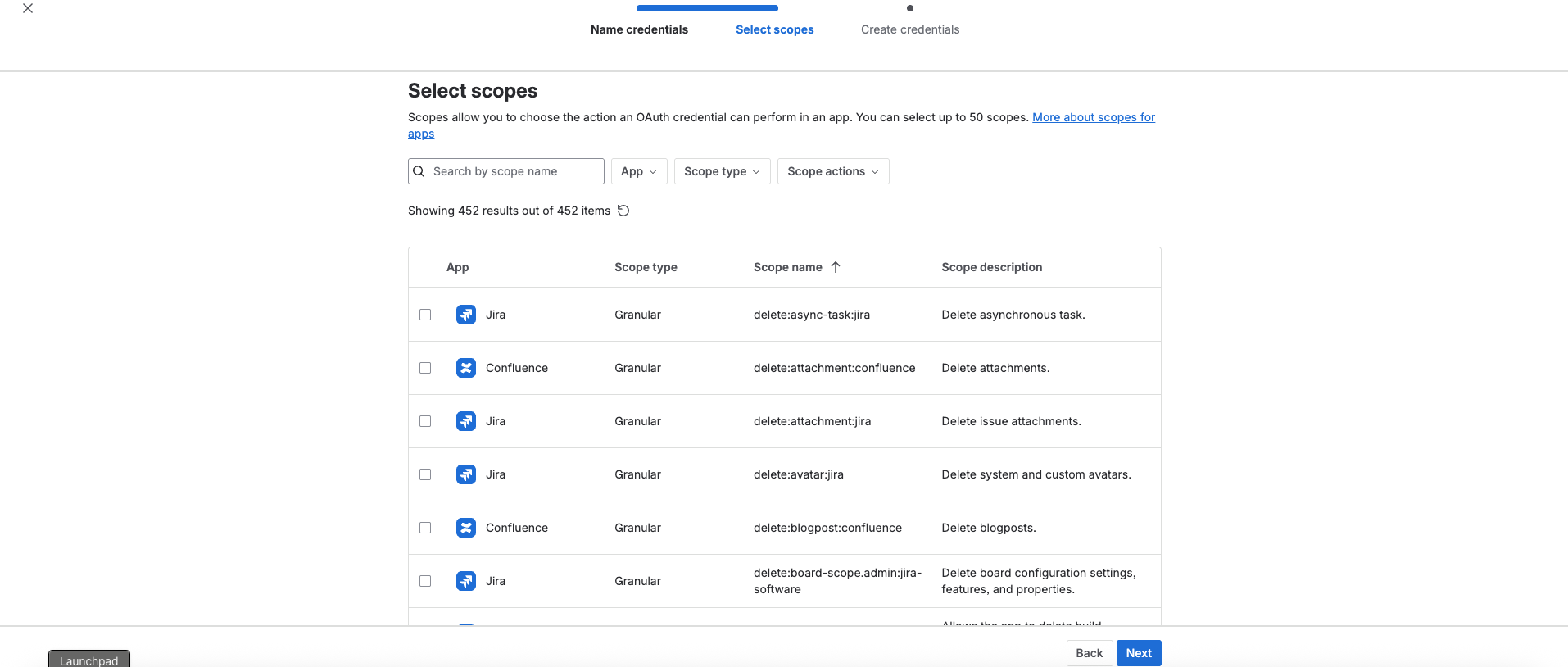 7. Review your OAuth information, then select **Create**.
8. Copy your **Client ID** and **Client Secret** and save them somewhere safe. You can't recover them after you create the credential.
7. Review your OAuth information, then select **Create**.
8. Copy your **Client ID** and **Client Secret** and save them somewhere safe. You can't recover them after you create the credential.
 Store your Client ID and Client Secret securely. If you lose them, you'll need to create new credentials.
#### Step 2: Finding your Subdomain
1. Log in to your Atlassian cloud site.
2. Once logged in, check the address bar in your browser. Your subdomain is the text between `https://` and `.atlassian.net` in the URL.
* For example, if your URL is `https://acme.atlassian.net`, your subdomain is `acme`.
The subdomain is optional. Since a single access token can have access to many resources, you can either provide a `Subdomain` during connection creation (recommended) to ensure you connect to a specific Atlassian site, or let Nango auto-select the first available site if no `Subdomain` is specified. Adding the subdomain ensures you connect to the intended site.
#### Step 3: Enter credentials in the Connect UI
Once you have your **Client ID** and **Client Secret** (and optionally your **Subdomain**):
1. Open the form where you need to authenticate with Atlassian Service Account (OAuth 2.0).
2. Enter your **Subdomain**, **Client ID**, and **Client Secret** in their respective fields.
3. Submit the form, and you should be successfully authenticated.
Store your Client ID and Client Secret securely. If you lose them, you'll need to create new credentials.
#### Step 2: Finding your Subdomain
1. Log in to your Atlassian cloud site.
2. Once logged in, check the address bar in your browser. Your subdomain is the text between `https://` and `.atlassian.net` in the URL.
* For example, if your URL is `https://acme.atlassian.net`, your subdomain is `acme`.
The subdomain is optional. Since a single access token can have access to many resources, you can either provide a `Subdomain` during connection creation (recommended) to ensure you connect to a specific Atlassian site, or let Nango auto-select the first available site if no `Subdomain` is specified. Adding the subdomain ensures you connect to the intended site.
#### Step 3: Enter credentials in the Connect UI
Once you have your **Client ID** and **Client Secret** (and optionally your **Subdomain**):
1. Open the form where you need to authenticate with Atlassian Service Account (OAuth 2.0).
2. Enter your **Subdomain**, **Client ID**, and **Client Secret** in their respective fields.
3. Submit the form, and you should be successfully authenticated.
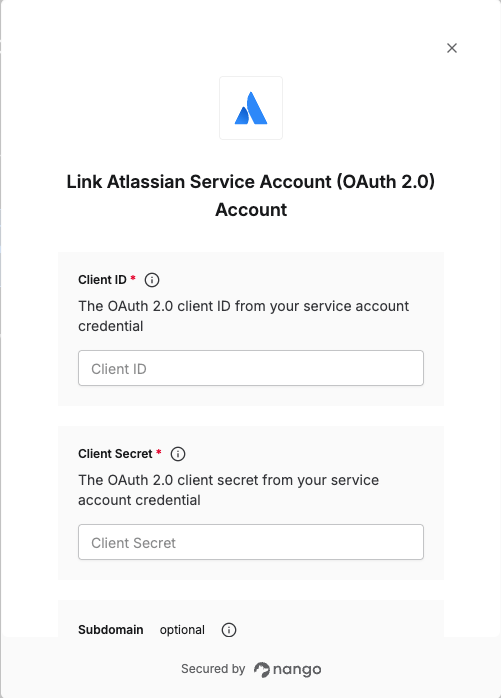 You are now connected to Atlassian using OAuth 2.0 service account credentials.